> ## Documentation Index
> Fetch the complete documentation index at: https://docs.monad.xyz/llms.txt
> Use this file to discover all available pages before exploring further.
# How to build a transfer notification bot with Envio HyperIndex
In this guide, you will learn how to use [Envio](https://envio.dev/) HyperIndex to create a Telegram bot that sends notifications whenever WMON tokens are transferred on the Monad Testnet. We'll walk through setting up both the indexer and the Telegram bot.
Envio HyperIndex is an open development framework for building blockchain application backends. It offers real-time indexing, automatic indexer generation from contract addresses, and triggers for external API calls.
## Prerequisites
You'll need the following installed:
* Node.js v18 or newer
* pnpm v8 or newer
* Docker Desktop (required for running the Envio indexer locally)
## Setting up the project
First, create and enter a new directory:
```shell theme={null}
mkdir envio-mon && cd envio-mon
```
### Get the contract ABI
1. Create an `abi.json` file:
```shell theme={null}
touch abi.json
```
2. Copy the [WrappedMonad](https://testnet.monadvision.com/token/0xFb8bf4c1CC7a94c73D209a149eA2AbEa852BC541?tab=Contract) ABI from the explorer
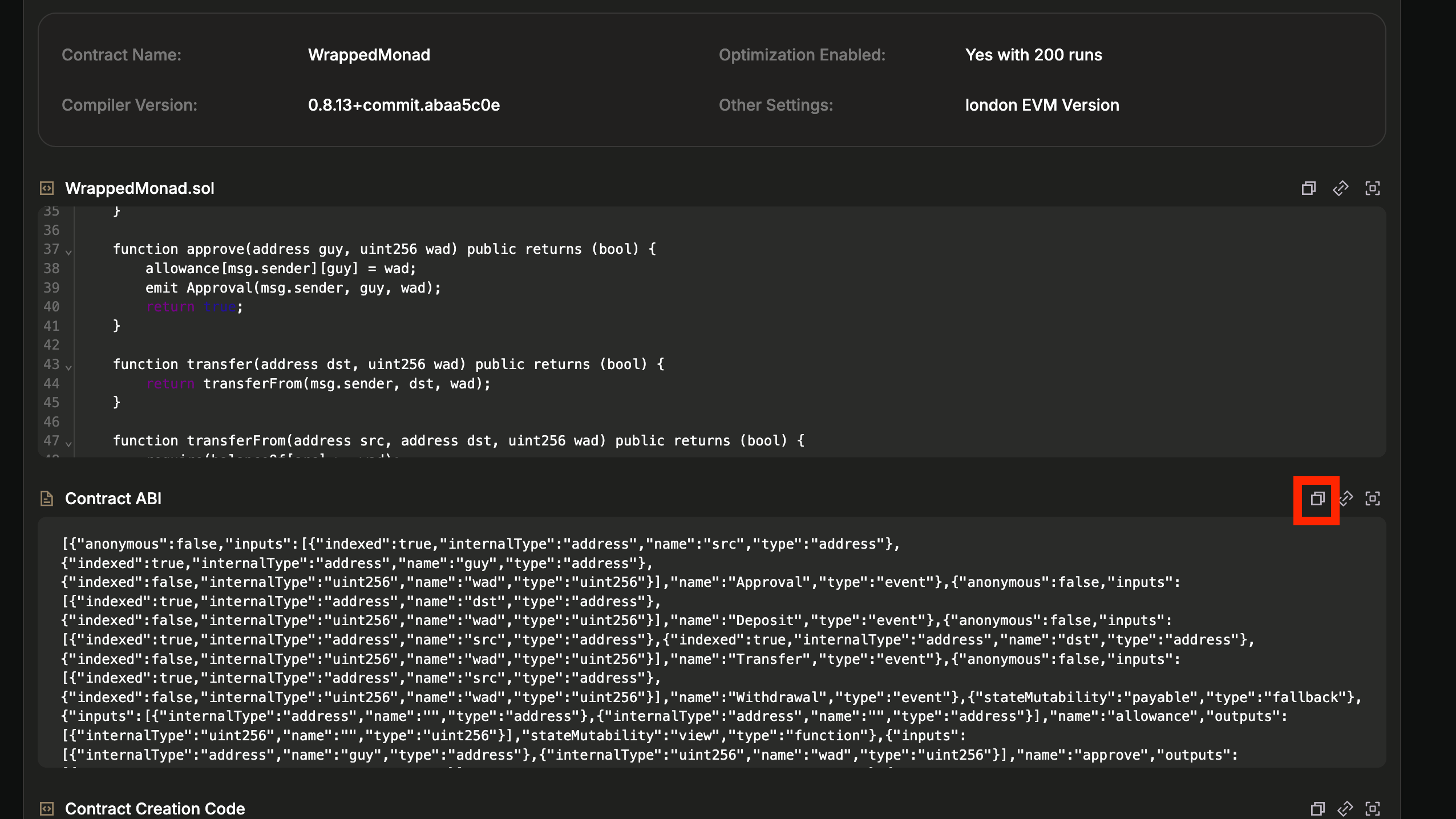 3. Paste the ABI into your `abi.json` file
### Initialize the project
Run the initialization command:
```shell theme={null}
pnpx envio init
```
Follow the prompts:
1. Press Enter when asked for a folder name (to use current directory)
2. Select `TypeScript` as your language
3. Choose `Evm` as the blockchain ecosystem
4. Select `Contract Import` for initialization
5. Choose `Local ABI` as the import method
6. Enter `./abi.json` as the path to your ABI file
7. Select only the `Transfer` event to index
8. Choose `` and input `10143` (Monad Testnet chain ID)
9. Enter `WrappedMonad` as the contract name
10. Input the contract address: `0xFb8bf4c1CC7a94c73D209a149eA2AbEa852BC541`
11. Select `I'm finished` since we're only indexing one contract
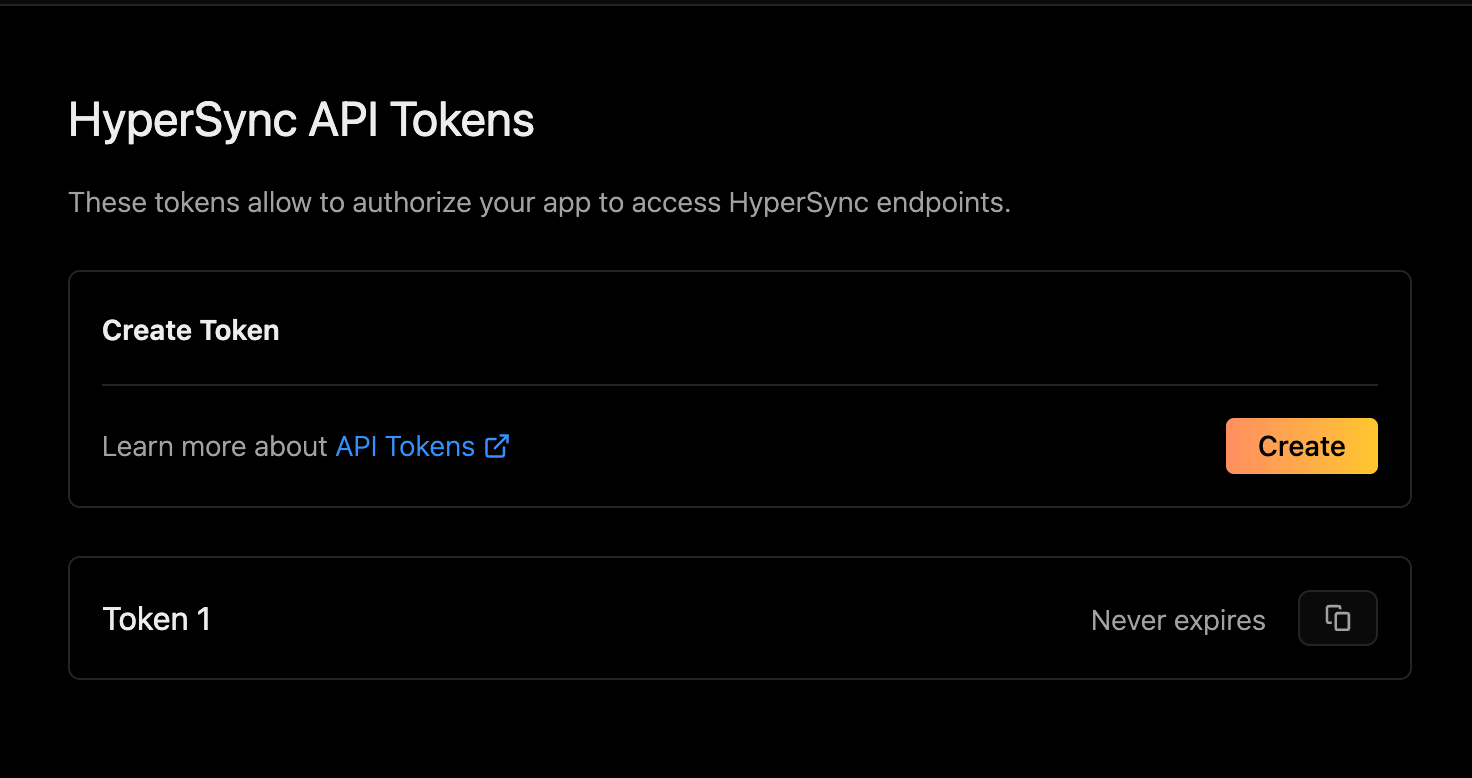
12. Choose whether to create or add an existing API token. If you choose to create a new token, you'll be taken to a page that looks like this:
3. Paste the ABI into your `abi.json` file
### Initialize the project
Run the initialization command:
```shell theme={null}
pnpx envio init
```
Follow the prompts:
1. Press Enter when asked for a folder name (to use current directory)
2. Select `TypeScript` as your language
3. Choose `Evm` as the blockchain ecosystem
4. Select `Contract Import` for initialization
5. Choose `Local ABI` as the import method
6. Enter `./abi.json` as the path to your ABI file
7. Select only the `Transfer` event to index
8. Choose `` and input `10143` (Monad Testnet chain ID)
9. Enter `WrappedMonad` as the contract name
10. Input the contract address: `0xFb8bf4c1CC7a94c73D209a149eA2AbEa852BC541`
11. Select `I'm finished` since we're only indexing one contract
12. Choose whether to create or add an existing API token. If you choose to create a new token, you'll be taken to a page that looks like this:
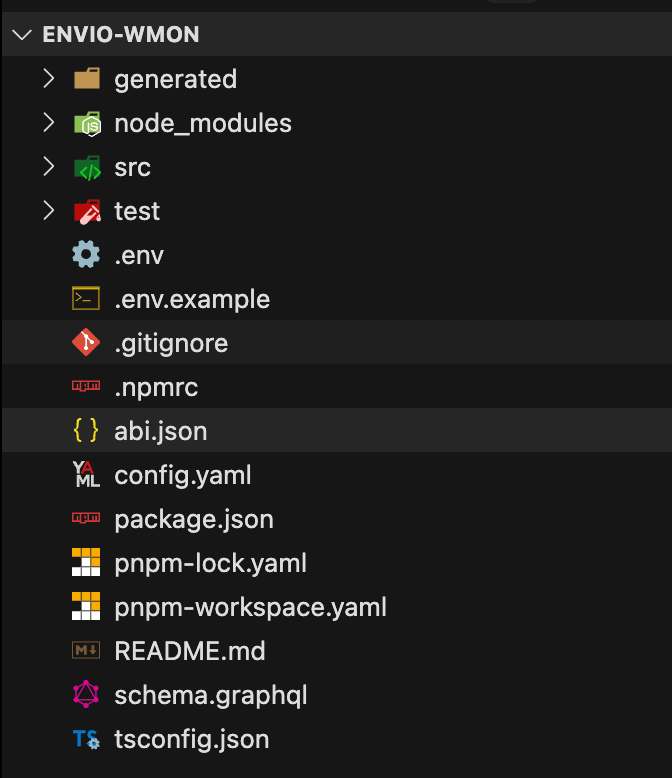
 Once the project is initialized, you should see the following project structure in your project directory.
 Add the following code to `config.yaml` file, to make transaction hash available in event handler:
```yaml lines title="config.yaml" theme={null}
# default config...
field_selection:
transaction_fields:
- hash
```
*More details about the `field_selection` config [here](https://docs.envio.dev/docs/HyperIndex/configuration-file#field-selection)*
## Starting the indexer
Start Docker Desktop.
To start the indexer run the following command in the project directory:
```shell theme={null}
pnpx envio dev
```
You should see something similar to the below image in your terminal; this means that the indexer is syncing and will eventually reach the tip of the chain.
Add the following code to `config.yaml` file, to make transaction hash available in event handler:
```yaml lines title="config.yaml" theme={null}
# default config...
field_selection:
transaction_fields:
- hash
```
*More details about the `field_selection` config [here](https://docs.envio.dev/docs/HyperIndex/configuration-file#field-selection)*
## Starting the indexer
Start Docker Desktop.
To start the indexer run the following command in the project directory:
```shell theme={null}
pnpx envio dev
```
You should see something similar to the below image in your terminal; this means that the indexer is syncing and will eventually reach the tip of the chain.
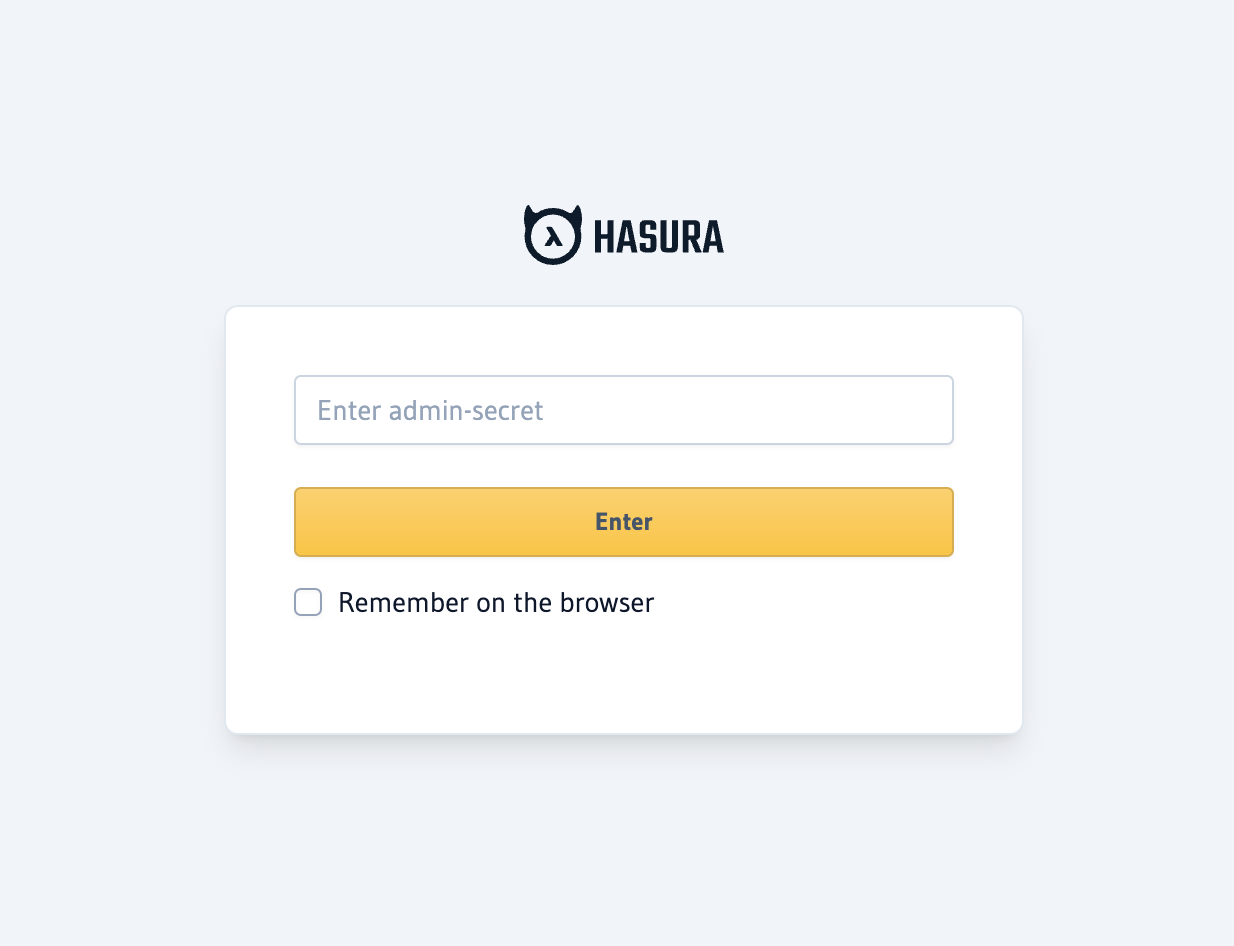
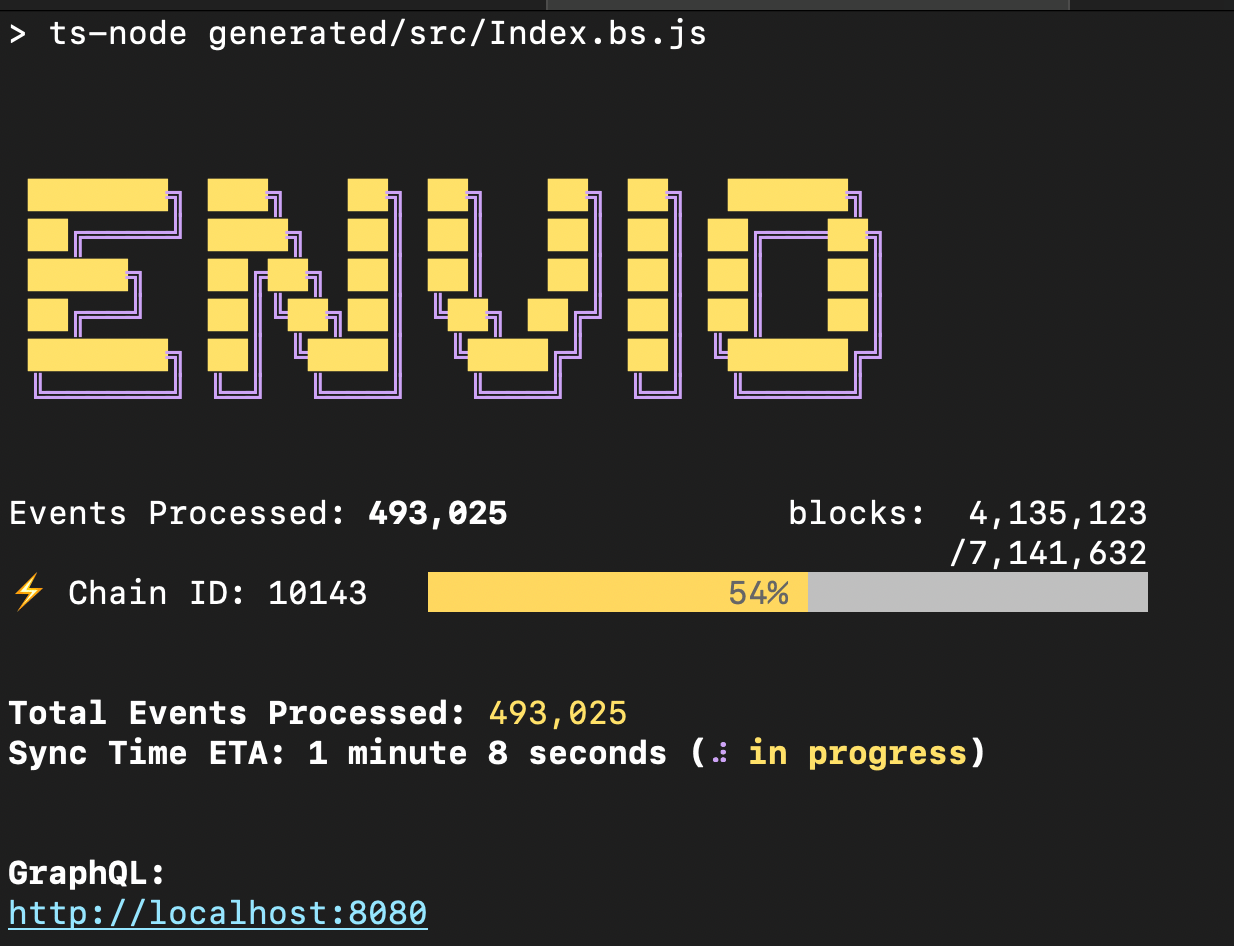 You will also see this page open in your browser automatically, the password is `testing`.
 We can use this interface to query the indexer using GraphQL. Results will depend on the sync progress:
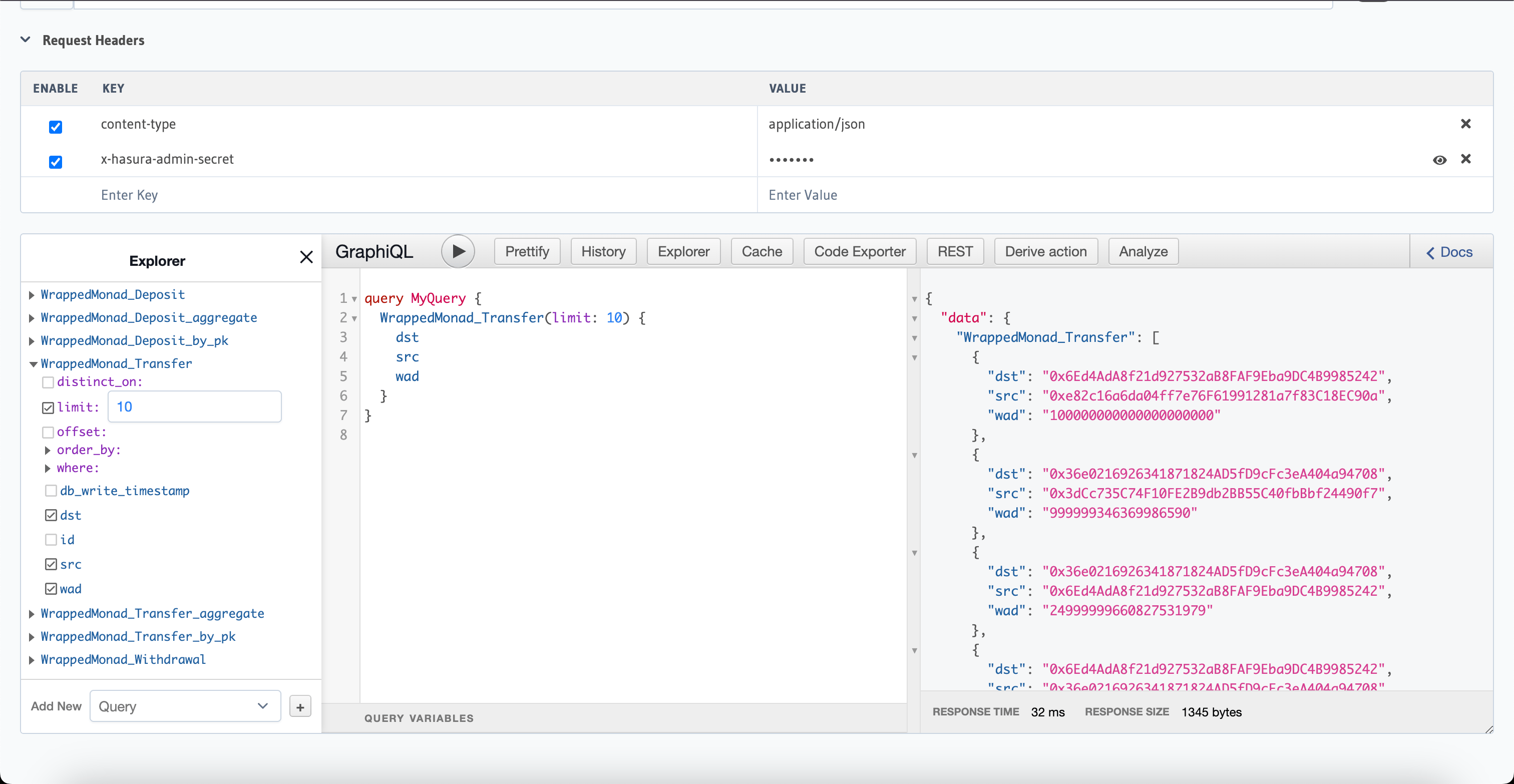 Currently, the indexer is catching up to the tip of the chain. Once syncing is complete the indexer will be able to identify latest WMON transfers.
We can shut down the indexer for now, so we can proceed with Telegram integration.
## Creating the Telegram bot
1. Visit [BotFather](https://t.me/botfather) to create your bot and get an API token
2. Add these environment variables to your `.env` file:
```
ENVIO_BOT_TOKEN=
ENVIO_TELEGRAM_CHAT_ID=
```
To get your chat ID:
1. Create a Telegram group and add your bot
2. Send `/start` to the bot: `@YourBot /start`
3. Visit `https://api.telegram.org/bot/getUpdates`
4. Look for the channel chat ID (it should start with "-")
If you don't see the chat ID, try removing and re-adding the bot to the group.
The Telegram bot is now ready.
## Integrating Telegram API to HyperIndex Event Handler
Create a folder `libs` inside `src` folder in the project directory, create a file inside it `telegram.ts` and add the following code
```ts lines title="src/libs/telegram.ts" theme={null}
import axios from "axios";
import { CHAT_ID, BOT_TOKEN } from "../constants";
export const sendMessageToTelegram = async (message: string): Promise => {
try {
const apiUrl = `https://api.telegram.org/bot${BOT_TOKEN}/sendMessage`;
await axios.post(apiUrl, {
chat_id: CHAT_ID,
text: message,
parse_mode: "HTML",
});
} catch (error) {
console.error("Error sending message:", error);
}
};
```
You will come across some errors, let's fix them.
Install `axios` package
```bash theme={null}
pnpm i axios
```
Create a file in `src` folder called `constants.ts` and add the following code:
```ts lines title="src/constants.ts" theme={null}
export const EXPLORER_URL_MONAD = "https://testnet.monadvision.com/";
// Threshold for WMON transfer amount above which the bot sends a notification
export const THRESHOLD_WEI: string = process.env.ENVIO_THRESHOLD_WEI ?? "1000000000000000000"; // in wei
export const BOT_TOKEN = process.env.ENVIO_BOT_TOKEN; // Telegram bot token
export const CHAT_ID = process.env.ENVIO_TELEGRAM_CHAT_ID; // WMON Transfers Notification Channel ID
// Function to get explorer url for the provided address
export const explorerUrlAddress = (address: string) =>
EXPLORER_URL_MONAD + "address/" + address;
// Function to get explorer url for the provided transaction hash
export const explorerUrlTx = (txHash: string) =>
EXPLORER_URL_MONAD + "tx/" + txHash;
```
We can now edit the `EventHandlers.ts` in `src` folder, to add the code for sending the telegram message:
```ts lines title="src/EventHandlers.ts" theme={null}
import {
WrappedMonad,
} from "generated";
import { isIndexingAtHead, weiToEth } from "./libs/helpers";
import { sendMessageToTelegram } from "./libs/telegram";
import { THRESHOLD_WEI, explorerUrlAddress, explorerUrlTx } from "./constants";
// Other event handlers can be removed...
WrappedMonad.Transfer.handler(async ({ event, context }) => {
const from_address = event.params.src;
const to_address = event.params.dst;
if (isIndexingAtHead(event.block.timestamp) && event.params.wad >= BigInt(THRESHOLD_WEI)) {
// Only send a message when the indexer is indexing event from the time it was started and not historical transfers, and only message if the transfer amount is greater than or equal to THRESHOLD_WEI.
// Example message
// WMON Transfer ALERT: A new transfer has been made by 0x65C3564f1DD63eA81C11D8FE9a93F8FFb5615233 to 0xBA5Cf1c0c1238F60832618Ec49FC81e8C7C0CF01 for 2.0000 WMON! 🔥 - View on Explorer
const msg = `WMON Transfer ALERT: A new transfer has been made by ${from_address} to ${to_address} for ${weiToEth(event.params.wad)} WMON! 🔥 - View on Explorer`;
await sendMessageToTelegram(msg);
}
});
```
Let us now fix the import error.
Create a file called `helpers.ts` in `src/libs` folder, paste the following code in it:
```ts lines title="src/libs/helpers.ts" theme={null}
// Used to ensure notifications are only sent while indexing at the head and not historical sync
const INDEXER_START_TIMESTAMP = Math.floor(new Date().getTime() / 1000);
export const isIndexingAtHead = (timestamp: number): boolean => {
return timestamp >= INDEXER_START_TIMESTAMP;
}
// Convert wei to ether for human readability
export const weiToEth = (bigIntNumber: bigint): string => {
// Convert BigInt to string
const numberString = bigIntNumber.toString();
const decimalPointsInEth = 18;
// Extract integer part and decimal part
const integerPart = numberString.substring(
0,
numberString.length - decimalPointsInEth
);
const decimalPart = numberString.slice(-decimalPointsInEth);
// Insert decimal point
const decimalString =
(integerPart ? integerPart : "0") +
"." +
decimalPart.padStart(decimalPointsInEth, "0");
// Add negative sign if necessary
return decimalString.slice(0, -14);
};
```
That's it! We can now run the indexer, and the telegram bot will start sending messages in the telegram channel when the indexer detects a WMON transfer!
Currently, the indexer is catching up to the tip of the chain. Once syncing is complete the indexer will be able to identify latest WMON transfers.
We can shut down the indexer for now, so we can proceed with Telegram integration.
## Creating the Telegram bot
1. Visit [BotFather](https://t.me/botfather) to create your bot and get an API token
2. Add these environment variables to your `.env` file:
```
ENVIO_BOT_TOKEN=
ENVIO_TELEGRAM_CHAT_ID=
```
To get your chat ID:
1. Create a Telegram group and add your bot
2. Send `/start` to the bot: `@YourBot /start`
3. Visit `https://api.telegram.org/bot/getUpdates`
4. Look for the channel chat ID (it should start with "-")
If you don't see the chat ID, try removing and re-adding the bot to the group.
The Telegram bot is now ready.
## Integrating Telegram API to HyperIndex Event Handler
Create a folder `libs` inside `src` folder in the project directory, create a file inside it `telegram.ts` and add the following code
```ts lines title="src/libs/telegram.ts" theme={null}
import axios from "axios";
import { CHAT_ID, BOT_TOKEN } from "../constants";
export const sendMessageToTelegram = async (message: string): Promise => {
try {
const apiUrl = `https://api.telegram.org/bot${BOT_TOKEN}/sendMessage`;
await axios.post(apiUrl, {
chat_id: CHAT_ID,
text: message,
parse_mode: "HTML",
});
} catch (error) {
console.error("Error sending message:", error);
}
};
```
You will come across some errors, let's fix them.
Install `axios` package
```bash theme={null}
pnpm i axios
```
Create a file in `src` folder called `constants.ts` and add the following code:
```ts lines title="src/constants.ts" theme={null}
export const EXPLORER_URL_MONAD = "https://testnet.monadvision.com/";
// Threshold for WMON transfer amount above which the bot sends a notification
export const THRESHOLD_WEI: string = process.env.ENVIO_THRESHOLD_WEI ?? "1000000000000000000"; // in wei
export const BOT_TOKEN = process.env.ENVIO_BOT_TOKEN; // Telegram bot token
export const CHAT_ID = process.env.ENVIO_TELEGRAM_CHAT_ID; // WMON Transfers Notification Channel ID
// Function to get explorer url for the provided address
export const explorerUrlAddress = (address: string) =>
EXPLORER_URL_MONAD + "address/" + address;
// Function to get explorer url for the provided transaction hash
export const explorerUrlTx = (txHash: string) =>
EXPLORER_URL_MONAD + "tx/" + txHash;
```
We can now edit the `EventHandlers.ts` in `src` folder, to add the code for sending the telegram message:
```ts lines title="src/EventHandlers.ts" theme={null}
import {
WrappedMonad,
} from "generated";
import { isIndexingAtHead, weiToEth } from "./libs/helpers";
import { sendMessageToTelegram } from "./libs/telegram";
import { THRESHOLD_WEI, explorerUrlAddress, explorerUrlTx } from "./constants";
// Other event handlers can be removed...
WrappedMonad.Transfer.handler(async ({ event, context }) => {
const from_address = event.params.src;
const to_address = event.params.dst;
if (isIndexingAtHead(event.block.timestamp) && event.params.wad >= BigInt(THRESHOLD_WEI)) {
// Only send a message when the indexer is indexing event from the time it was started and not historical transfers, and only message if the transfer amount is greater than or equal to THRESHOLD_WEI.
// Example message
// WMON Transfer ALERT: A new transfer has been made by 0x65C3564f1DD63eA81C11D8FE9a93F8FFb5615233 to 0xBA5Cf1c0c1238F60832618Ec49FC81e8C7C0CF01 for 2.0000 WMON! 🔥 - View on Explorer
const msg = `WMON Transfer ALERT: A new transfer has been made by ${from_address} to ${to_address} for ${weiToEth(event.params.wad)} WMON! 🔥 - View on Explorer`;
await sendMessageToTelegram(msg);
}
});
```
Let us now fix the import error.
Create a file called `helpers.ts` in `src/libs` folder, paste the following code in it:
```ts lines title="src/libs/helpers.ts" theme={null}
// Used to ensure notifications are only sent while indexing at the head and not historical sync
const INDEXER_START_TIMESTAMP = Math.floor(new Date().getTime() / 1000);
export const isIndexingAtHead = (timestamp: number): boolean => {
return timestamp >= INDEXER_START_TIMESTAMP;
}
// Convert wei to ether for human readability
export const weiToEth = (bigIntNumber: bigint): string => {
// Convert BigInt to string
const numberString = bigIntNumber.toString();
const decimalPointsInEth = 18;
// Extract integer part and decimal part
const integerPart = numberString.substring(
0,
numberString.length - decimalPointsInEth
);
const decimalPart = numberString.slice(-decimalPointsInEth);
// Insert decimal point
const decimalString =
(integerPart ? integerPart : "0") +
"." +
decimalPart.padStart(decimalPointsInEth, "0");
// Add negative sign if necessary
return decimalString.slice(0, -14);
};
```
That's it! We can now run the indexer, and the telegram bot will start sending messages in the telegram channel when the indexer detects a WMON transfer!
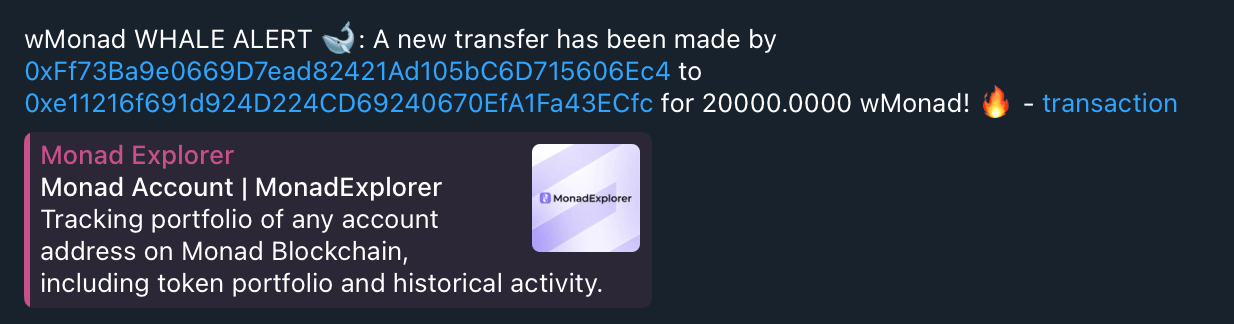 *Note: Screenshot was taken before message format was changed. The message will be slightly different if you followed the guide.*
You may not immediately start seeing messages because the indexer take some time to catch up to the tip of the the recent blocks.
The bot will only send notifications for transfers when the indexer detects a WMON transfer in finalized blocks, with timestamp greater than or equal to the indexer start time.
*Note: Screenshot was taken before message format was changed. The message will be slightly different if you followed the guide.*
You may not immediately start seeing messages because the indexer take some time to catch up to the tip of the the recent blocks.
The bot will only send notifications for transfers when the indexer detects a WMON transfer in finalized blocks, with timestamp greater than or equal to the indexer start time.