How to build a portfolio viewer using Moralis API
When building a web3 app, it is essentially for the app to show some information about the connected wallet like ERC20 token balances, ERC721 token balances, transaction history etc...
Moralis has a wide range of out-of-the-box APIs for the most popular features like wallet native balance, fetch all NFTs and collections, wallet age and activity, and many more...
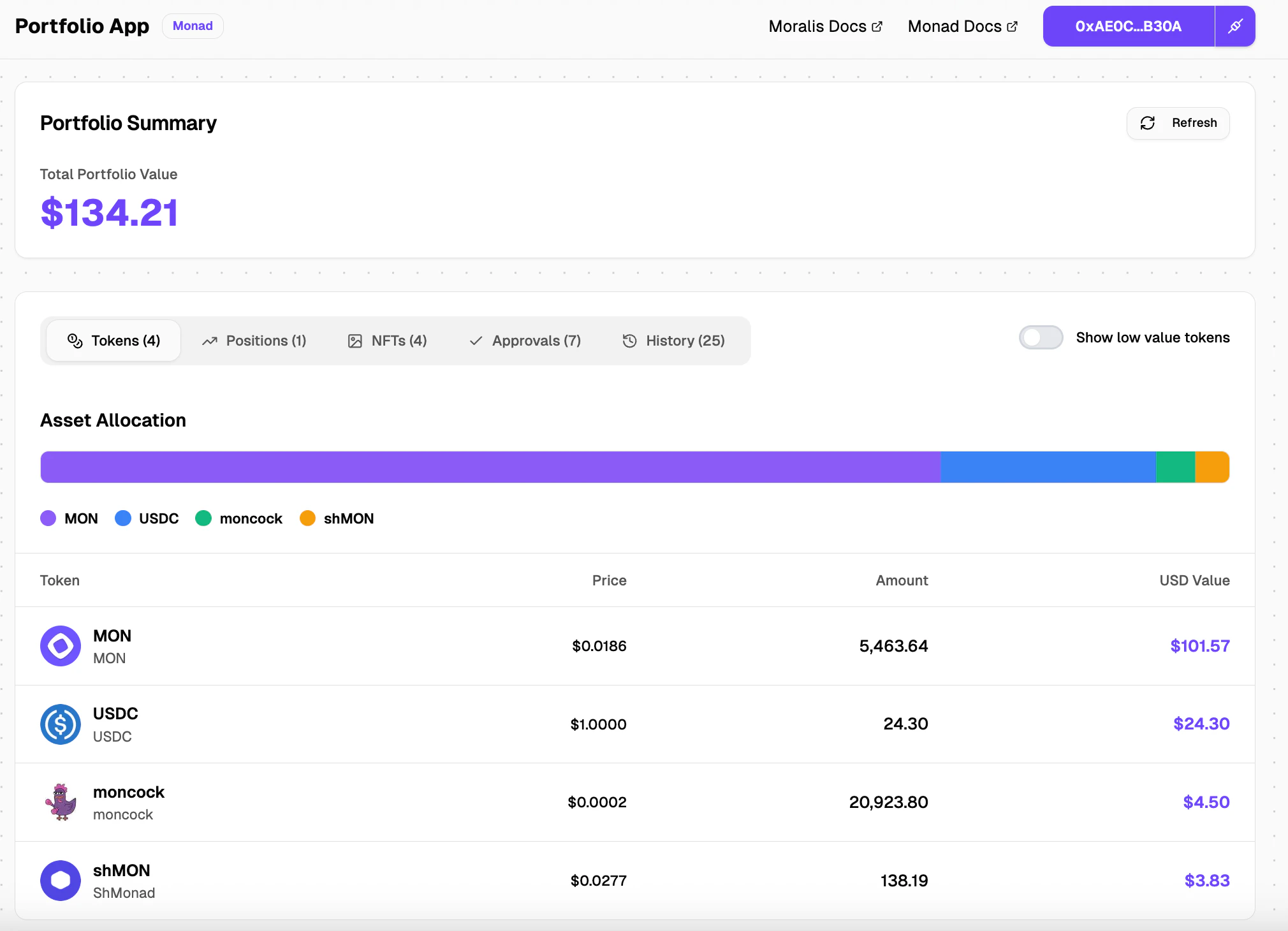
In this guide, you will learn how to build a simple ERC20 token balances view for the connected wallet using Moralis API and NextJS.
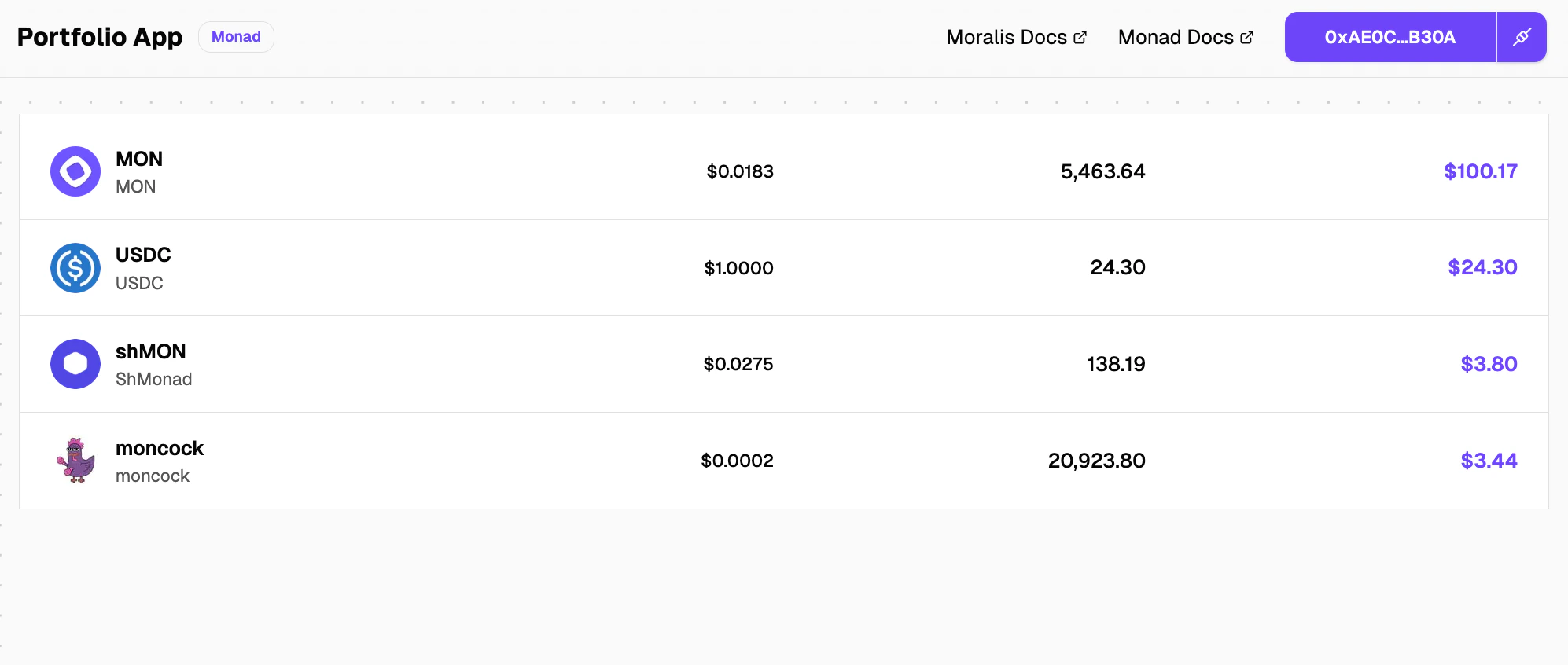
If you wish to try the portfolio viewer before building it, you can do so here
Requirements
Before you begin, you'll need:
- Moralis API Key: Get it from Moralis Dashboard
- Reown Project ID: Get it from Reown Cloud
- You can also check out the Reown AppKit guide for Monad
Step 1: Initializing the project
Create Nextjs app
npx create-next-app@latest portfolio-app --typescript --tailwind --eslint --app --src-dir --import-alias "@/*"Install ShadCN components
npx shadcn@latest add button card tabsInstall Tanstack React Query (for better async state management)
npm install @tanstack/react-queryStep 2: Environment Setup
Add your Moralis API key and Reown Project ID to .env.local:
MORALIS_API_KEY=NEXT_PUBLIC_PROJECT_ID=Step 3: Connect Wallet functionality
Create the ContextProvider component
Create a folder named context in the src directory, inside the folder create a file named index.ts
"use client";
import { wagmiAdapter, projectId } from "@/config";import { QueryClient, QueryClientProvider } from "@tanstack/react-query";import { createAppKit } from "@reown/appkit/react";import { monad } from "@reown/appkit/networks";import React, { type ReactNode } from "react";import { WagmiProvider, type Config } from "wagmi";
// Set up queryClientconst queryClient = new QueryClient();
if (!projectId) { throw new Error("NEXT_PUBLIC_PROJECT_ID is not set");}
// Set up metadataconst metadata = { name: "Portfolio Viewer", description: "View your crypto portfolio on Monad blockchain", url: "your-app-url", icons: ["your-app-icon"],};
// Create the modalconst modal = createAppKit({ adapters: [wagmiAdapter], projectId, networks: [monad], defaultNetwork: monad, metadata: metadata, features: { analytics: true, },});
export function ContextProvider({ children }: { children: ReactNode }) { return ( <WagmiProvider config={wagmiAdapter.wagmiConfig as Config}> <QueryClientProvider client={queryClient}>{children}</QueryClientProvider> </WagmiProvider> );}Wrap the app with ContextProvider component in layout.tsx
// imports
export const metadata: Metadata = { title: "Monad Portfolio App", description: "View your crypto portfolio on Monad blockchain",};
export default function RootLayout({ children,}: Readonly<{ children: React.ReactNode;}>) { return ( <html lang="en" className={GeistSans.variable} style={{ // @ts-ignore '--font-geist-sans': GeistSans.style.fontFamily, '--font-geist-mono': GeistMono.style.fontFamily, }}> <body className="font-sans min-h-screen flex flex-col bg-dot-pattern"> <ContextProvider> <main className="flex-1 pb-6">{children}</main> </ContextProvider> </body> </html> );}Create a custom ConnectButton
Create a file in components/wallet folder named ConnectButton.tsx
"use client";
import { useAppKit, useAppKitAccount, useDisconnect } from "@reown/appkit/react";import { Button } from "@/components/ui/Button";import { ConnectIcon, type ConnectIconHandle } from "@/components/ui/ConnectIcon";
export function ConnectButton() { const { open } = useAppKit(); const { address, isConnected } = useAppKitAccount(); const { disconnect } = useDisconnect();
if (isConnected && address) { return ( <div className="inline-flex rounded-md shadow-sm"> <a href={`https://monadvision.com/address/${address}`} target="_blank" rel="noopener noreferrer" className="inline-flex items-center px-8 h-10 bg-primary text-primary-foreground rounded-l-md font-semibold text-sm hover:bg-primary/90 transition-colors" > {formatAddress(address)} </a> <Button onClick={() => disconnect()} size="icon" className="h-10 w-10 rounded-l-none border-l border-primary-foreground/20" > <ConnectIcon size={16} /> </Button> </div> ); }
return ( <Button onClick={() => open()} size="lg" className="font-semibold shadow-sm gap-2" > <ConnectIcon ref={connectIconRef} size={20} /> Connect Wallet </Button> );}We are using the useAppKit and useAppKitAccount hook for creating a custom connect button instead of the standard one provided by Reown AppKit.
Create a Header component with custom ConnectButton
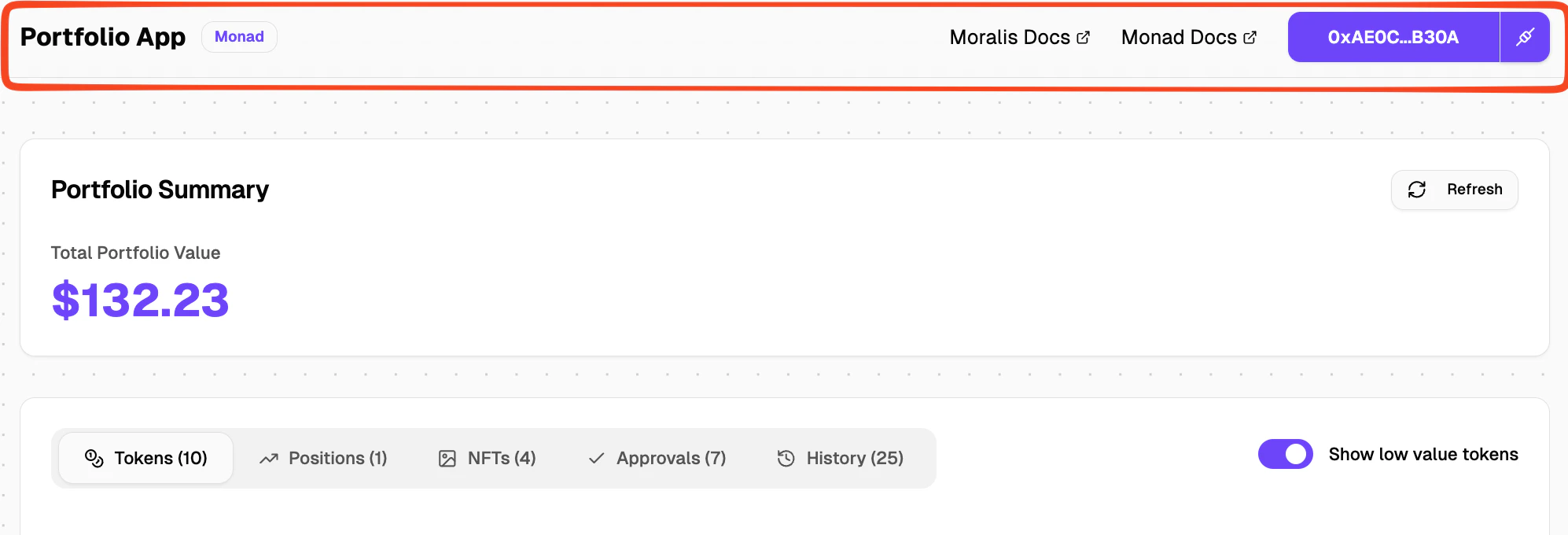
Create a file named Header.tsx in src/components/layout folder and import the newly created ConnectButton component into it.
"use client";
import { ConnectButton } from "../wallet/ConnectButton";import { ExternalLink } from "lucide-react";
export function Header() { return ( <header className="sticky top-0 z-50 w-full border-b border-border bg-card/80 backdrop-blur supports-[backdrop-filter]:bg-card/60"> <div className="flex h-16 items-center justify-between"> <div className="flex items-center gap-3"> <h1 className="text-xl font-bold text-foreground"> Portfolio App </h1> </div> <div className="flex items-center gap-6"> <ConnectButton /> </div> </div> </header> );}Import the Header component in layout.tsx
import { Header } from "@/components/layout/Header";
// rest of the code
<ContextProvider> <Header /> <main className="flex-1 pb-6">{children}</main></ContextProvider>
// rest of the codeYou should now be able to see a custom Connect Wallet button!
Step 4: Fetching connected wallet token balances
Creating a /api/wallet/balances route
Create a file named route.ts in the folder src/app/api/wallet/balances/
We are using the "Get Native & ERC20 Token Balances by Wallet" Moralis API endpoint to get the token balances. You can find the endpoint docs here.
It takes in an address and a chain id and returns a list of ERC20 tokens (including Logo, Name, Symbol) and native balance of the address.
import { NextRequest, NextResponse } from "next/server";
const MORALIS_API_BASE = "https://deep-index.moralis.io/api/v2.2";
export async function GET(request: NextRequest) { try { const { searchParams } = request.nextUrl; const address = searchParams.get("address"); const chain = "0x8f"; // 0x8f = 143 (Monad chain ID in hex)
if (!address) { return NextResponse.json( { error: "Address is required" }, { status: 400 } ); }
// Fetch ERC20 token balances with price data from Moralis const data = await moralisRequest({ endpoint: `/wallets/${address}/tokens`, params: { chain, }, });
return NextResponse.json(data); } catch (error) { console.error("Error fetching token balances:", error);
const errorMessage = error instanceof Error ? error.message : "Failed to fetch token balances";
return NextResponse.json( { error: errorMessage, }, { status: 500 } ); }}
async function moralisRequest({ endpoint, params,}) { const apiKey = process.env.MORALIS_API_KEY;
if (!apiKey) { throw new Error("MORALIS_API_KEY is not set"); }
const url = new URL(`${MORALIS_API_BASE}${endpoint}`);
if (params) { Object.entries(params).forEach(([key, value]) => { url.searchParams.append(key, String(value)); }); }
const response = await fetch(url.toString(), { method: "GET", headers: { "X-API-Key": apiKey, "Content-Type": "application/json", }, next: { revalidate: 30, // Cache for 30 seconds }, });
if (!response.ok) { const errorData = await response.json().catch(() => ({})); const errorMessage = errorData.message || `Moralis API error: ${response.status}`;
console.error("Moralis API Error:", { status: response.status, url: url.toString(), error: errorData, });
throw new Error(errorMessage); }
return response.json();}Create a react hook called useTokenBalances
This react hook calls the /api/wallet/balances/ endpoint that you created and gets the token balances data, formats it into a proper list and makes it available to consume in the frontend.
"use client";
import { useQuery } from "@tanstack/react-query";
async function fetchTokenBalances( address: string,) { const response = await fetch( `/api/wallet/balances?address=${address}` );
if (!response.ok) { const error = await response.json().catch(() => ({})); throw new Error(error.error || "Failed to fetch token balances"); }
const data = await response.json();
// Check if data exists if (!data) { return []; }
// Handle both response formats: direct array or object with result property const tokens = Array.isArray(data) ? data : data.result;
if (!tokens || !Array.isArray(tokens)) { return []; }
// Transform Moralis data to our Token type return tokens.map((token) => { const balanceFormatted = parseFloat( formatTokenBalance(token.balance, token.decimals) );
// Calculate USD value if we have price but not value const usdValue = token.usd_value !== undefined ? token.usd_value : token.usd_price !== undefined ? token.usd_price * balanceFormatted : undefined;
return { address: token.token_address, name: token.name, symbol: token.symbol, logo: token.logo || token.thumbnail, decimals: token.decimals, balance: token.balance, balanceFormatted, usdPrice: token.usd_price, usdValue, isNative: token.native_token || false, isSpam: token.possible_spam, verified: token.verified_contract, }; });}
export function useTokenBalances(address?: string, enabled: boolean = true) { return useQuery({ queryKey: ["tokenBalances", address], queryFn: () => fetchTokenBalances(address!), enabled: enabled && !!address, staleTime: 30000, // 30 seconds });}
function formatTokenBalance( balance: string | number, decimals: number = 18): string { const balanceNum = typeof balance === "string" ? parseFloat(balance) : balance; const divisor = Math.pow(10, decimals); const formattedBalance = balanceNum / divisor;
// Show more decimals for small amounts if (formattedBalance < 0.01) { return formattedBalance.toFixed(6); } else if (formattedBalance < 1) { return formattedBalance.toFixed(4); } else { return formattedBalance.toFixed(2); }}We will later use this hook in the UI components
Step 5: Creating the UI
Create a TokenRow component
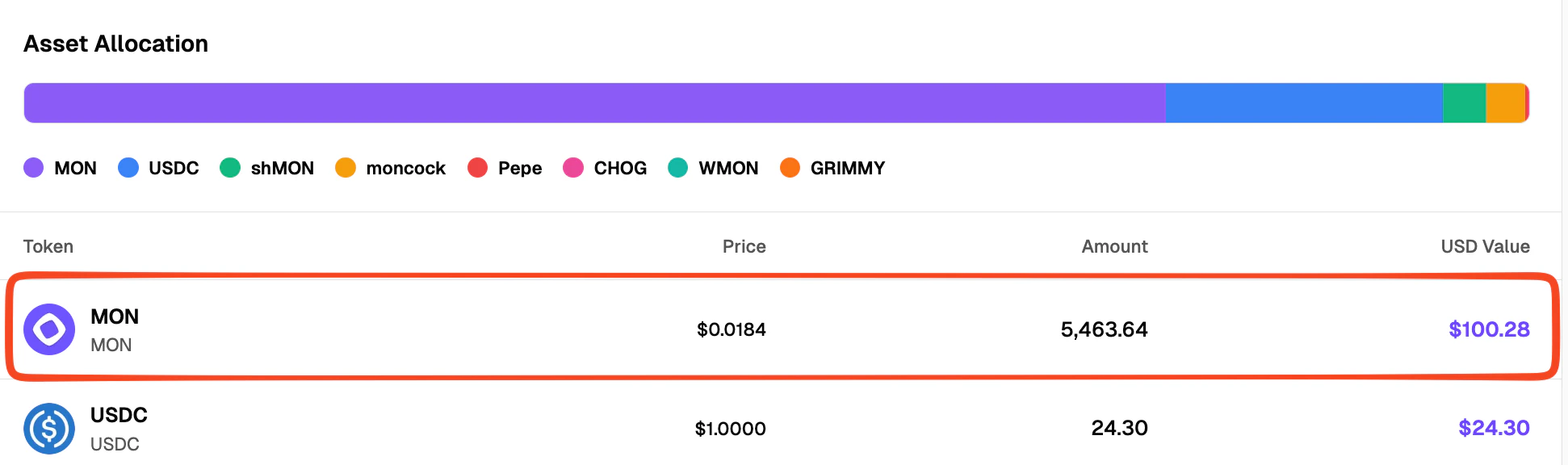
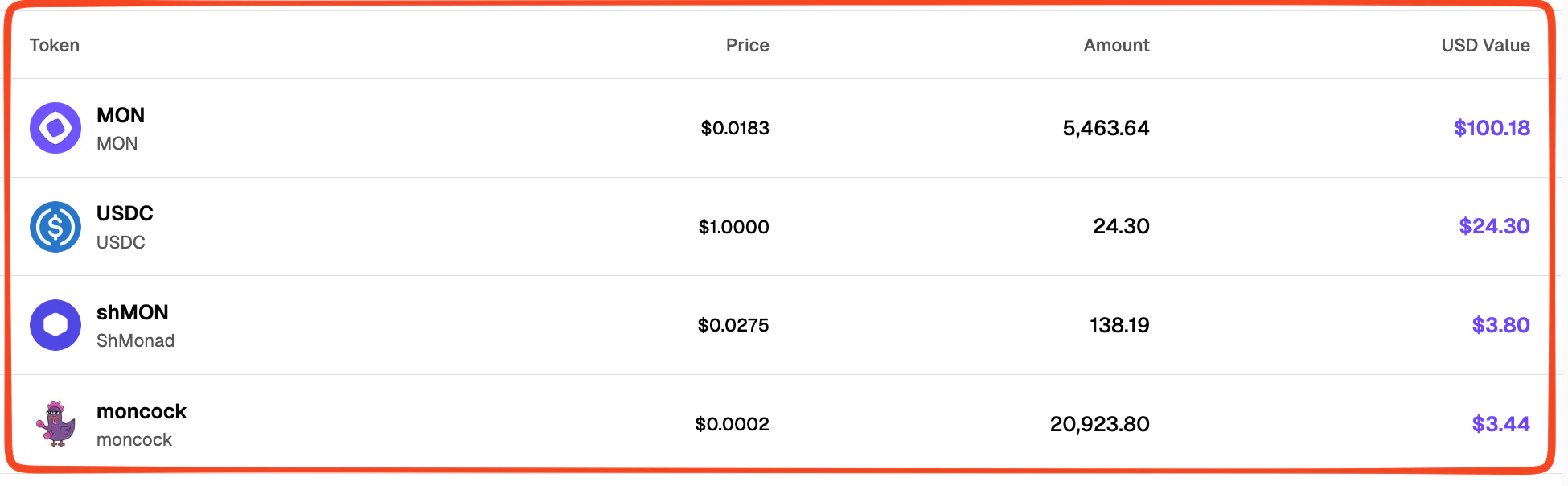
TokenRow component will display token details like name, symbol, logo, usd price, amount of tokens in connected wallet and the usd value.
Create a file named TokenRow.tsx in the folder src/components/portfolio/tokens/
import Image from "next/image";
export function TokenRow({ token }) { return ( <div className="grid grid-cols-12 gap-4 px-6 py-4 hover:bg-muted/30 transition-colors"> {/* Token Info */} <div className="col-span-4 flex items-center gap-3"> {token.logo ? ( <Image src={token.logo} alt={token.name} width={40} height={40} className="rounded-full" onError={(e) => { e.currentTarget.style.display = "none"; }} /> ) : ( <div className="w-10 h-10 rounded-full bg-primary/10 flex items-center justify-center text-primary font-bold border border-primary/20"> {token.symbol.charAt(0)} </div> )} <div className="min-w-0"> <div className="flex items-center gap-2"> <p className="font-semibold truncate">{token.symbol}</p> </div> <p className="text-sm text-muted-foreground truncate"> {token.name} </p> </div> </div>
{/* Price */} <div className="col-span-2 flex items-center justify-end"> {token.usdPrice !== undefined && token.usdPrice > 0 ? ( <p className="text-sm font-medium"> ${formatCurrency(token.usdPrice, 4)} </p> ) : ( <p className="text-sm text-muted-foreground">-</p> )} </div>
{/* Amount */} <div className="col-span-3 flex items-center justify-end"> <p className="font-medium">{formatCurrency(token.balanceFormatted, 2)}</p> </div>
{/* USD Value */} <div className="col-span-3 flex items-center justify-end"> {token.usdValue !== undefined && token.usdValue > 0 ? ( <p className="font-semibold text-primary"> {formatUSD(token.usdValue)} </p> ) : ( <p className="text-sm text-muted-foreground">-</p> )} </div> </div> );}
// Helper function to format values in the UI
function formatUSD(value: number): string { if (value === 0) return "$0.00"; if (value < 0.01) return "< $0.01"; if (value < 1) return `$${value.toFixed(4)}`; if (value < 1000) return `$${value.toFixed(2)}`; if (value < 1000000) return `$${(value / 1000).toFixed(2)}K`; return `$${(value / 1000000).toFixed(2)}M`;}
function formatCurrency(value: number, decimals: number = 2): string { return value.toLocaleString("en-US", { minimumFractionDigits: decimals, maximumFractionDigits: decimals, });}Create a TokenList component

Create a TokenList.tsx file in src/components/portfolio folder and import the newly created TokenRow.tsx component in it.
import { TokenRow } from "./tokens/TokenRow";
export function TokenList({ tokens, isLoading, error, showLowValueTokens = false,}) {
if (isLoading) { return ( // Loading state ); }
if (error) { return ( // Error state ); }
if (tokens.length === 0) { return ( // Empty state ); }
return ( <div className="divide-y divide-border"> {tokens.map((token) => ( <TokenRow key={token.address} token={token} /> ))} </div> );}Create a PortfolioDashboard component

The PortfolioDashboard component will display the TokenList and can be further modified to have more components presenting information that you would like your user to see.
"use client";
import { useState, useEffect } from "react";import { useAccount } from "wagmi";import { useTokenBalances } from "@/hooks/useTokenBalances";import { TokenList } from "./TokenList";
export function PortfolioDashboard() { const { address, isConnected } = useAccount(); const [mounted, setMounted] = useState(false);
useEffect(() => { setMounted(true); }, []);
const { data: tokens = [], isLoading, error, refetch, isFetching, } = useTokenBalances(address, isConnected);
// Prevent hydration mismatch - don't render until mounted if (!mounted) { return null; }
// Not connected state if (!isConnected) { return ( // UI for wallet not connected state ); }
return ( <div className="space-y-8"> <TokenList tokens={tokens} isLoading={isLoading} error={error?.message} showLowValueTokens={showLowValueTokens} /> </div> );}Check out the other Moralis API endpoints and create visual components for the same!
Conclusion
In this guide you learned how to use Moralis API to get wallet token balances and presenting them in a UI.
It is highly recommended you check out the other API endpoints and add more features to this project you created!
You can find a complete portfolio dashboard project here for inspiration.