

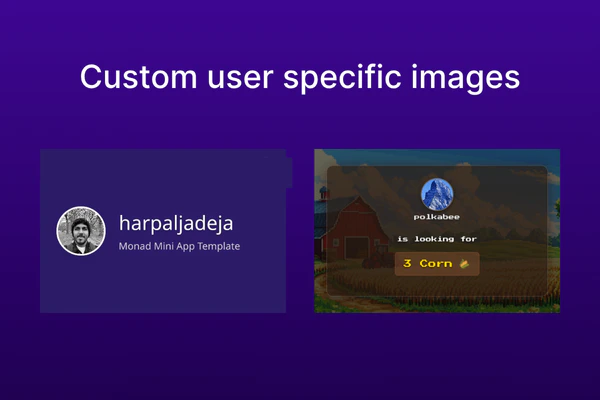
/api/og 用于生成图片,并使用 @vercel/og 包来生成图片。
生成图片
如果您使用的是 Monad Mini App 模板,只需编辑app/api/og/route.tsx 即可生成您想要的图片。
app/api/og/route.tsx
@vercel/og 包。
app/api/og/route.tsx。
app/api/og/route.tsx
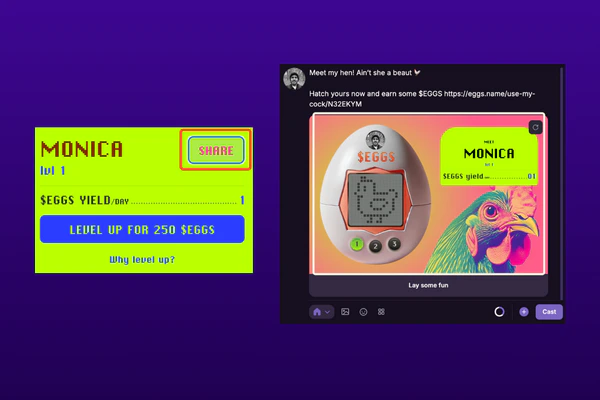
通过 Mini App 分享图片
Documentation Index
Fetch the complete documentation index at: /llms.txt
Use this file to discover all available pages before exploring further.

/api/og 用于生成图片,并使用 @vercel/og 包来生成图片。
app/api/og/route.tsx 即可生成您想要的图片。
...
export async function GET(request: NextRequest) {
try {
const { searchParams } = new URL(request.url);
// The below is dependent on whether the username and image are passed as query params or not.
const username = searchParams.get('username') || 'User'; // Username of the user
const imageUrl = searchParams.get('image') || ''; // Image url of the user
const backgroundGradient = '#2D1B69'; // Background color of the image
// Load Inter font from the public folder
const interFontData = await fetch(
`${request.nextUrl.origin}/Inter.ttf`
).then((res) => res.arrayBuffer());
return new ImageResponse(
(
// Generate the image here
);
} catch (e) {
console.error('Error generating OG image:', e);
return new Response('Failed to generate image', { status: 500 });
}
}
...
@vercel/og 包。
npm install @vercel/og
app/api/og/route.tsx。
import { ImageResponse } from '@vercel/og';
import { NextRequest } from 'next/server';
// Generate the image for every request
export const dynamic = "force-dynamic";
export async function GET(request: NextRequest) {
try {
const { searchParams } = new URL(request.url);
// The below is dependent on whether the username and image are passed as query params or not.
const username = searchParams.get('username') || 'User'; // Username of the user
const imageUrl = searchParams.get('image') || ''; // Image url of the user
return new ImageResponse(
(
// Generate the image here
);
} catch (e) {
console.error('Error generating OG image:', e);
return new Response('Failed to generate image', { status: 500 });
}
}

export default function GenerateAndShareCustomImage() {
...
const handleGenerateCustomOGImage = () => {
// Generate the image using the endpoint
const ogImageUrl = `${APP_URL}/api/og?username=${username}&image=${pfpUrl}`;
// Programmatically compose a cast with the generated image
actions?.composeCast({
// Text to be displayed in the cast
text: "I generated a custom OG image using Monad Mini App template",
// Image to be displayed in the cast
embeds: [ogImageUrl],
});
};
...
return (
<button
type="button"
className="bg-white text-black rounded-md p-2 text-sm"
/**
* When the button is clicked, the shareable image is generated
* and the cast is composed.
*/
onClick={() => handleGenerateCustomOGImage()}
disabled={!fid}
>
Generate Custom Image
</button>
);
}
